
A Practical Guide to Managing Your Digital Legacy
Taking the next steps beyond the basics
The Heart of It: Managing your digital legacy isn’t just about making a list of accounts. It’s about creating a clear, intentional system for what happens to your online life after you’re gone — one that offers peace of mind for you and ease for those you leave behind.
When I first introduced the idea of a digital legacy, we looked at the big picture: why it matters and how to take the very first steps. If you’re just getting started, you may want to begin with How to Plan Your Digital Legacy — a practical overview of what this is and why it’s an act of care.
But if you’re ready to go deeper, this guide will walk you through the practical side of managing your digital life: the accounts, the storage, the decisions. Think of it as moving from broad strokes to the fine details — the place where clarity really begins to shine.
Take Inventory — Beyond the Basics
In the first post, we talked about listing your digital assets. Here, I want to push you a little further. Don’t just jot down “email” or “bank.” Name the specific accounts. Identify the platform, username, and the role it plays in your life.
Your list might include things like:
- Banking and credit accounts
- Utilities and subscription services
- Email and cloud storage
- Social media accounts
- Creative or business platforms
- Loyalty programs and memberships
By naming them specifically, you create a map your loved ones can actually follow.
I keep a running digital inventory in a password-protected document. Once a year, I update it — usually in January, when I’m also organizing financial paperwork. It’s become part of my new-year reset ritual.
Decide What Happens to Each Account
This is where digital legacy becomes personal. For each account, decide: keep, transfer, memorialize, or delete.
- Some accounts, like financial or business ones, may need to be closed.
- Social media platforms often allow accounts to be memorialized.
- Creative work or family photos may be something you want preserved.
- Some things may simply be deleted.
The point isn’t to have one “right” answer. It’s to make intentional choices now, rather than leaving confusion later.
Assign Digital Contacts
Many platforms now allow you to designate a legacy contact or digital heir. On Facebook, you can assign a legacy contact to manage a memorialized profile. On Google, the Inactive Account Manager lets you decide who gets access if your account goes unused for a set time. This is especially important if you use an online family tree and DNA program.
Taking a few minutes to set these up means you’re not just hoping someone will figure it out — you’re giving them permission to act on your behalf.
Choose Your Storage System
This is where you decide how all this information will be kept safe but accessible. Options include:
- A password manager with shared access
- A secure cloud storage folder
- An encrypted flash drive stored with your will
- A binder or notebook kept in a safe place
The right choice depends on your comfort level with technology and your family’s needs. What matters is consistency — one clear system, not scraps scattered across files, notes, and memory.
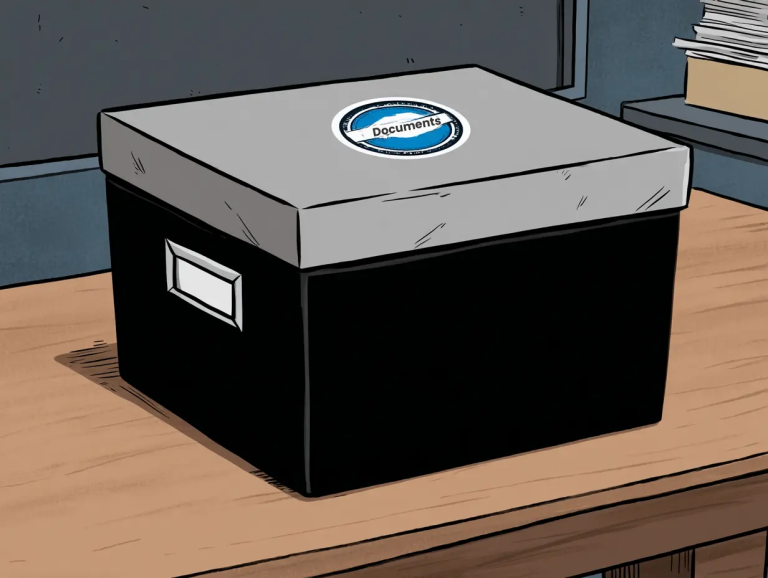
I use a password manager as my primary tool, but I also keep a paper backup of my most critical information in a fireproof box. Having both makes me feel covered from both the digital and physical side.
Keep It Updated
Digital life changes constantly. New accounts open, old ones close, passwords get updated. That’s why this isn’t a “set it and forget it” project.
Choose one anchor point in your year to review your digital legacy. For some, that might be tax season. For others, a birthday or new year’s ritual. Pairing it with something you already do makes it much more likely to happen.
For me, I treat it like a spring cleaning task. Once the weather warms, I pour some tea, sit at my desk, and update both my passwords and my digital legacy notes. It takes less than an hour, but the relief is worth it every time.
Why This Matters More Than Ever
Our online lives are only getting more complex. Photos, bills, creative work, businesses, friendships — all of it lives in digital spaces now. If we don’t make a plan, what we leave behind could become a maze for someone else to untangle.
Managing your digital legacy is an act of love. It’s also a way of saying: my life had meaning here, too.
3 Ways to Start Today
- Choose one category (banking, email, or social media) and make a complete list of accounts.
- Assign one legacy contact on one platform.
- Decide where your inventory will live — binder, flash drive, password manager, or cloud.
The Invitation
Your digital legacy tells a story. The clearer you make it now, the easier it will be for your loved ones to honor and preserve that story later.
So . . .
What’s one digital account you could give clear instructions for today?
FAQs

A gift for you!
Life Security Essentials Organizer
Get your essential info organized with calm confidence one small step at a time